AI Minecraft OC Maker
Create Your Minecraft OC
Free. No limits.
Make your own Minecraft OC in seconds. A blocky skin, a new mob, or a hero with a pickaxe in hand, standing in the biome you pick.

@OG Kangaroo
1
Sign up
Free — one tap, Google or email
Free. No limits.
Make your own Minecraft OC in seconds. A blocky skin, a new mob, or a hero with a pickaxe in hand, standing in the biome you pick.


Describe your Minecraft OC once. After that it is the same character every time.
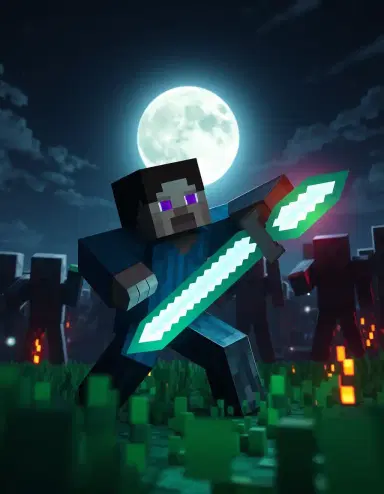
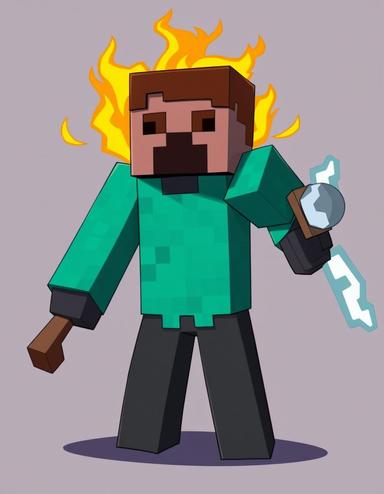
Happy, angry, sleepy, shy. The same character, every mood.
Post your Minecraft OC. Other people can draw them too and send them back. Or keep them to yourself.
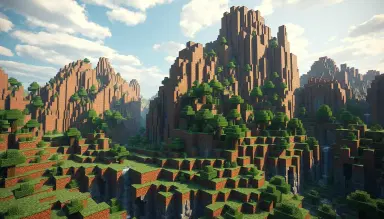
A rooftop at night, a classroom, outer space. They still look like themselves.
Where they are from, who they lost, what they want. A story about your Minecraft OC, not someone who just looks like them.
Tap an outfit and they put it on. Same face, same hair, same character.
Builders crafting blocky heroes, mobs, and skins every single day.


A Minecraft OC is your own original character built in the blocky Minecraft style. It can be a custom player skin, a brand-new mob, or a reimagined hero that lives alongside Steve, Alex, and the Creepers.
Both. Remix the classics like Steve, Alex, Endermen, and Creepers, or design a totally original mob and skin that has never spawned before.
Just describe your character. GenTube renders it in the cubic, pixel-textured voxel style, with bright colors, square edges, and that classic Minecraft world feel.
Anything in the voxel world. A diamond-armored warrior, a friendly villager, a glowing-eyed Enderman, a clay ghast, or a mob species you invented yourself.
Yes. Make as many Minecraft OCs as you want, free, with no credits, no paywall, and no sign-up wall.
Every Minecraft OC drops into the GenTube feed. Anyone can remix yours and you can remix theirs, so your character keeps evolving.
A skin is the picture wrapped around your player in Minecraft. It is a tiny image, 64 by 64 pixels, so every detail is a small square. That is why skins look blocky. Steve and Alex are the two default skins. A custom skin can be anything: a knight, a cat person, a robot, a hero in a hoodie. On GenTube you describe the skin in words and the maker draws your character wearing it.
Four steps. One: type who your character is, like 'a girl with purple hair, a red hoodie, and a diamond pickaxe.' Two: add the biome, like 'in a snowy taiga at night.' Three: hit create and wait about two seconds. Four: look at it. If the hair or the tool is wrong, change that one word and try again. Save the one you like. That is the whole flow. No drawing and no skin editor needed.
Pick the one that fits the character. A miner belongs in a cave with a torch. A farmer belongs in plains with wheat and a cow. A warrior fits the Nether or an End island with an Enderman behind them. Name the biome in your prompt: 'in a jungle temple' or 'on a beach with turtles.' The maker paints the blocks to match. Change the biome and the same character feels like a whole new story.
One tool says a lot. A diamond pickaxe means miner. A bow means hunter. An enchanted sword means fighter. A torch means explorer. A cake means they like cake. Name the item and its material: 'holding an iron axe' or 'holding a golden apple.' Keep it to one item so the picture stays clear. You can always make a second picture with a different tool and pick the one you like more.
Yes. Mobs are the creatures of Minecraft: creepers, zombies, endermen, villagers, wolves, axolotls. Your OC can be a new mob you invent, like a blue creeper that plants flowers, or a villager who is also a knight. Say 'a new mob' in your prompt and describe its shape, its color, and where it lives. Keep it blocky and it will fit right into the world next to the real ones.
Yes. Make one character, then make a matching one for each friend. Keep the same style and change the hair, the shirt, and the tool. Type 'same style' plus the new details. Five or six matching characters feel like a real server crew. People use them for profile pictures, YouTube thumbnails, and server banners. Put one shared biome behind all of them and it looks like a team photo.
Say it in the prompt. Add words like 'blocky,' 'pixel textures,' and 'Minecraft style.' If the picture comes out smooth or round, add 'square head' and 'no soft shading' and try again. Bright flat colors help too. The maker follows your words, so the more you say 'blocky,' the more blocky it gets. Usually one extra word fixes it. If not, try a plain biome background so the character stands out.
Yes. Armor is a big part of the Minecraft look. Say the material: leather is brown, iron is gray, gold is yellow, diamond is light blue, netherite is dark. Add 'enchanted' for a purple shimmer. Say how much: 'a diamond helmet only' or 'full netherite armor.' Armor covers the skin, so if you want your character's face and hair to show, ask for no helmet. A shield or an elytra on the back adds one more detail.
Yes. Once you have a character you like, remix it. Same character, new biome. Same character, in netherite armor. Same character, holding a different tool. Each remix keeps who they are and changes one thing. You can also remix other creators' OCs from the feed, and they can remix yours. A lot of the best skins on GenTube started as a remix of someone else's idea.
Want any character, any world? Open the AI character generator — the same OC maker behind every page here.
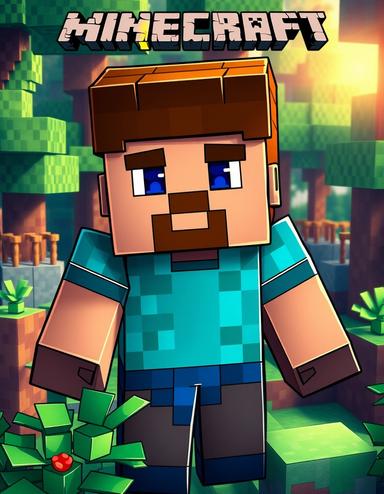
Real Minecraft OCs made by GenTube creators. The look is blocky on purpose. A square head, a boxy body, and arms and legs with no bends. The skin is made of tiny pixel squares, so a shirt is a grid of blues and a face is a few dots. Colors are bright and simple: grass green, dirt brown, diamond blue, lava orange. Behind your character is a biome you pick. A plains field with oak trees. A snowy taiga. A dark cave lit by one torch. The Nether, all red and glowing. Put a tool in their hand: a diamond pickaxe, a bow, a sword, or a fishing rod. The maker works like this: type a few words, wait about two seconds, and look. If the skin is wrong, change one word and try again. Swap 'green shirt' for 'red hoodie.' Swap 'cave' for 'beach.' Add 'holding a torch.' Every try is a new picture, so keep going until it feels like you.